Temp mail or an email alias? A practical way to decide which one a signup deserves
Two tools get recommended for the same complaint — "I don't want to give this site my real address" — and they are not interchangeable. A disposable inbox and a permanent alias behave so differently after the signup that picking the wrong one is the usual reason people end up frustrated with both.
The good news is that you do not need to think hard about this every time. One question sorts almost every case: do I ever need this sender to reach me again? Everything else follows from the answer.
What each one actually is
A disposable address is a mailbox that exists for minutes. You open a page, it hands you an address, the message arrives, you read it, you leave. Nobody set anything up, nothing needs maintaining, and when it expires it takes the contents with it. It is closer to a public phone box than to a phone number — useful precisely because it belongs to nobody for long. If the term is new to you, the idea behind a burner address covers the basics in more depth.
An alias — also called a masked address — is a permanent forwarding address that lands in a mailbox you already own. Apple's Hide My Email, Firefox Relay, SimpleLogin and the masked addresses built into Fastmail all work this way: you generate `quiet-otter-4821@...`, the shop writes to it, and the message appears in your normal inbox with your real address never leaving your hands. Crucially, it keeps working next year, and you can switch it off whenever you like.
There is also the poor relation of both: plus-addressing, where you hand over `[email protected]`. It costs nothing and tells you who leaked your details, but it is not a privacy measure. Your real address is sitting there in plain sight, anyone can strip the tag in a second, and a fair number of signup forms reject the plus sign outright.
The question that decides it
Ask whether the relationship ends when the message arrives.
If it genuinely ends — a one-off download, a wifi portal in a hotel lobby, a price quote, a forum you are only reading, a code you need right now — a disposable address is the better tool, and it is better for a specific reason: there is nothing left to clean up. No alias accumulating in a list, no decision to revisit, no address quietly sitting in someone's database. You take the message and you are gone.
If the relationship continues in any form — a shop that might ship a replacement, a service with a subscription, an account you may log back into, anything that sends receipts or warranty information — you want an alias. The sender keeps a working channel, you keep your real address private, and if the mail ever turns unpleasant you disable that single alias without touching anything else.
The reason this question works is that it matches the tool to a lifespan rather than to a feeling about privacy. Both options hide your real address equally well at the moment of signup. They differ entirely in what happens afterwards.
Where people get it wrong
The common mistake runs in one direction: using a disposable address for something that turned out to have a tail.
An order is placed with a throwaway address, the confirmation arrives, everything looks fine. Three weeks later the parcel is lost, the tracking update has nowhere to go, the return label cannot be sent, and the shop's support desk asks you to confirm the order from the address on file. The account is intact and completely unreachable. Nothing broke at signup — signup was the easy part.
The opposite mistake is milder but real: generating a permanent alias for something you will never hear from again. Do it for every PDF download and within a year you are managing a list of two hundred aliases you cannot remember the purpose of, which is its own small tax.
There is a third case worth naming because it catches careful people. Some sites refuse known disposable domains at the form, so the signup fails and you assume the address is broken. It usually is not — the site is screening. An alias generally sails through, because it is a normal address on a normal domain.
A rule of thumb that holds up
Sort signups into three piles and the decision stops needing thought.
One message, then nothing. Disposable address. Downloads, codes, portals, one-off quotes, trials you intend to abandon, a site you are testing before trusting. Take the message, close the tab. If you are new to the mechanics, getting one takes about ten seconds.
A real relationship you want control over. Alias. Shops, subscriptions, newsletters you actually read, apps you will log back into, anything that might send a receipt or a refund. One alias per sender is the version that pays off, because the day the spam starts you know exactly who sold your details and you can cut that one line.
Anything holding money, identity or legal standing. Neither. Banks, wallets, brokers, insurers, tax portals and government services go to a permanent, well-protected mailbox you control directly, with two-factor authentication on it. The extra forwarding hop is a dependency you do not want in the middle of an account recovery, and the address needs to still work in five years.
That third pile is small, and it is the one where getting it wrong is expensive rather than annoying.
What neither one fixes
Both tools stop a sender from learning your real address. Neither makes you anonymous, and it is worth being clear about the gap.
The address is one identifier among several. Payment details, a delivery address, a phone number, a login, the device you used — any of those can tie a transaction back to you regardless of what sits in the email field. A masked address on an order shipped to your flat under your own name is a privacy measure for your inbox, not a disguise.
Neither tool retroactively helps, either. Once an address is in circulation, a disposable one you adopt today does nothing about the lists your old address is already on. If the volume in your main inbox is the actual problem, it is worth understanding how addresses end up on those lists in the first place — because the fix for an inbox that is already flooded is different from the fix for keeping a clean one clean.
Used as a pair, though, they cover most of the ground. Disposable for the things that end, aliases for the things that continue, a guarded real address for the things that matter. Most inbox clutter comes from using one address for all three.
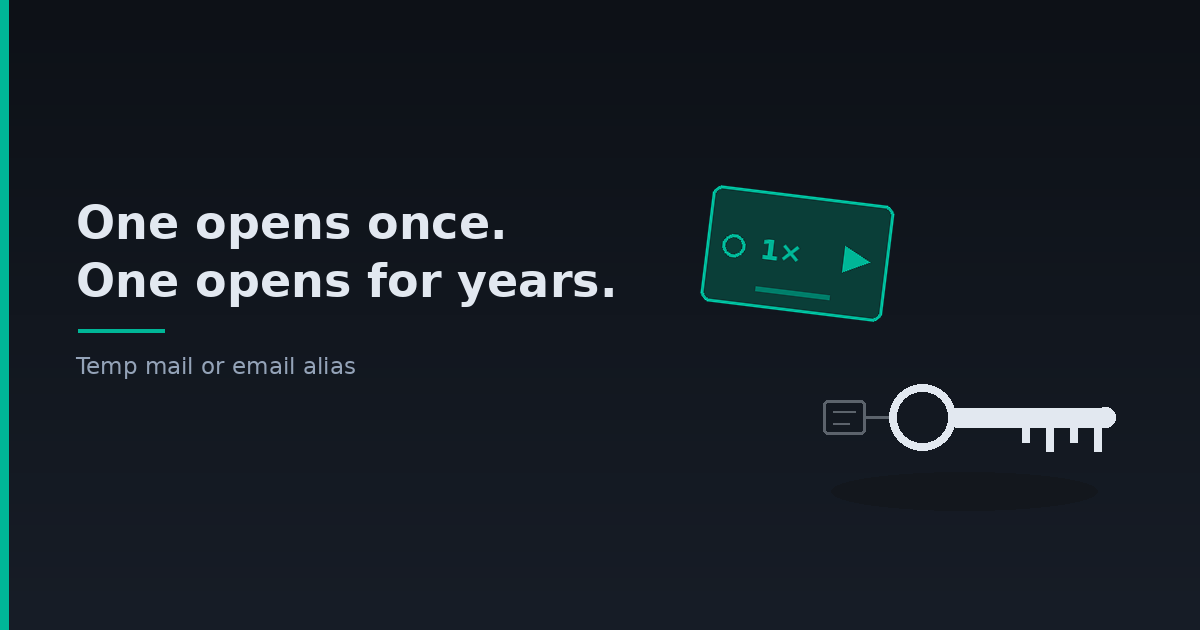
cover: Hai chiếc chìa khoá đặt cạnh nhau trên nền gỗ: một chiếc chìa nhựa dùng một lần kiểu thẻ khách sạn, một chiếc chìa kim loại có móc đeo đã cũ. Chụp từ trên xuống, ánh sáng tự nhiên, tông trung tính, không có chữ hay logo. Ý của ảnh là hai công cụ cho hai loại quan hệ dài ngắn khác nhau.
Tags: