A 5 minute temporary inbox, ready the moment the page loads — no sign-up, no password, nothing to delete afterwards.
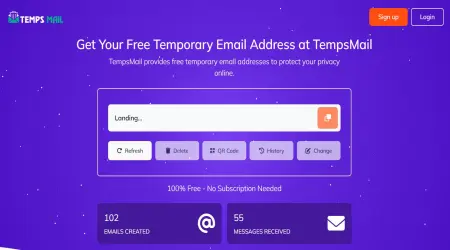
100% Free - No Subscription Needed
802,848
Emails Created
779,473
Messages Received
Sender
Subject
Time
Waiting for incoming emails
Explore the features that make our temporary email service fast, secure, and easy to use
Protect your privacy by keeping spam and unwanted emails out of your personal inbox
Receive emails instantly with real-time inbox updates—no delays, no refresh required.
Choose from multiple email domains to create a unique and secure temporary email address.
Create temporary email addresses in just a few clicks. No registration required, and it’s always free to use!
Create as many temporary emails as you need—no limits, no hidden fees, and no restrictions on usage.
Save important messages to your favorites for quick and easy access whenever you need them.
Most confirmation mail lands inside ten seconds. Five minutes is not about the mail being slow, it is about you: reading the form, picking a password, finding the tab again. It is the window that matches an ordinary sign-up done at ordinary speed.
Choose something longer when a card check, a phone verification or a human review sits between you and the first message. Those flows routinely run past five minutes, and there is no prize for picking the tighter window.
Choose something shorter when you are working down a list — a run of download links, a row of one-time codes — and want to move on without thinking about it.
Anything sent to the address, attachments included. What it will not do is send. The inbox receives only, and that one-way design is the reason it is still accepted by as many sites as it is: a throwaway address that can also send becomes a spam tool within a week.
These pages hand out the same inbox with a different number on the clock. Choose by how long the sign-up in front of you takes.
If the domain matters more than the clock, there is a separate education-style address — read that page first, because it will not pass a student check and we are blunt about saying so.
It is a planning figure, not a self-destruct timer. The counter tells you how long a sign-up of this shape usually takes, so you can pick a window and get on with it. It runs in your browser; closing the tab does not start or stop anything on our side.
What happens to the mail is simpler than the countdown suggests. The server clears old messages on its own after a few days. There is no password, no account, and no way to ask for an inbox back once you have walked away from it. Treat every address here as something you use once and forget — that is the whole point of it, and it is also its only guarantee.
Find answers to common questions about our temporary email service and how to use it effectively
Guides and tips on temporary email, privacy and online security.