Protect your privacy with 15 Minute Mail — a quick, secure way to avoid spam, data leaks, and unwanted emails online.
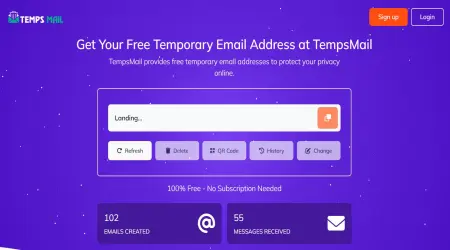
100% Free - No Subscription Needed
806,276
Emails Created
783,177
Messages Received
Sender
Subject
Time
Waiting for incoming emails
Explore the features that make our temporary email service fast, secure, and easy to use
Protect your privacy by keeping spam and unwanted emails out of your personal inbox
Receive emails instantly with real-time inbox updates—no delays, no refresh required.
Choose from multiple email domains to create a unique and secure temporary email address.
Create temporary email addresses in just a few clicks. No registration required, and it’s always free to use!
Create as many temporary emails as you need—no limits, no hidden fees, and no restrictions on usage.
Save important messages to your favorites for quick and easy access whenever you need them.
Some registrations are not one screen and a code. You fill in a profile, pick a plan, verify a phone number, and only then does the mail go out. Fifteen minutes exists for that shape of flow, where the gap between typing the address and needing the message is measured in several steps rather than seconds.
It also covers senders that batch their outgoing mail. Newsletter platforms and smaller shops often flush a queue on a fixed schedule instead of sending immediately, so the message lands in the next cycle rather than the next second.
The counter runs in your browser, not on the server, so nothing on our side is watching it tick. If you need to leave the flow and come back, copy the address somewhere first. Nothing here is tied to an account, so there is no one to ask for the old inbox back.
A second message often arrives after the first one, welcome mail, an onboarding tip, a coupon. Fifteen minutes is usually enough to see whether that second message carries anything you actually need, which is hard to judge from the confirmation alone.
Longer does not mean permanent. The mailbox has no password, the messages are cleared automatically after a few days, and nothing here is recoverable afterwards. If the account you are creating matters beyond today, use your own address for it.
These pages hand out the same inbox with a different number on the clock. Choose by how long the sign-up in front of you takes.
If the domain matters more than the clock, there is a separate education-style address — read that page first, because it will not pass a student check and we are blunt about saying so.
It is a planning figure, not a self-destruct timer. The counter tells you how long a sign-up of this shape usually takes, so you can pick a window and get on with it. It runs in your browser; closing the tab does not start or stop anything on our side.
What happens to the mail is simpler than the countdown suggests. The server clears old messages on its own after a few days. There is no password, no account, and no way to ask for an inbox back once you have walked away from it. Treat every address here as something you use once and forget — that is the whole point of it, and it is also its only guarantee.
Find answers to common questions about our temporary email service and how to use it effectively
Guides and tips on temporary email, privacy and online security.