Protect your privacy with 02 Minute Mail — a quick, secure way to avoid spam, data leaks, and unwanted emails online.
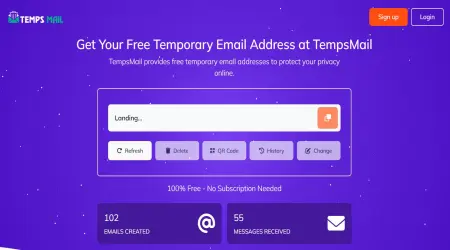
100% Free - No Subscription Needed
804,471
Emails Created
781,455
Messages Received
Sender
Subject
Time
Waiting for incoming emails
Explore the features that make our temporary email service fast, secure, and easy to use
Protect your privacy by keeping spam and unwanted emails out of your personal inbox
Receive emails instantly with real-time inbox updates—no delays, no refresh required.
Choose from multiple email domains to create a unique and secure temporary email address.
Create temporary email addresses in just a few clicks. No registration required, and it’s always free to use!
Create as many temporary emails as you need—no limits, no hidden fees, and no restrictions on usage.
Save important messages to your favorites for quick and easy access whenever you need them.
Most confirmation mail arrives in under ten seconds, so two minutes is usually plenty. The problem is the cases where it isn't. Plenty of mail servers use greylisting: the first delivery attempt from an unfamiliar sender gets refused on purpose, and the sending server retries a few minutes later. Your message is not lost, it is queued. A two-minute window can close before the retry happens.
If nothing has arrived by the time the counter runs down, open a longer window and sign up again rather than waiting. Re-registering costs you ten seconds. Watching an empty inbox costs you the code.
Two minutes suits throwaway checks: confirming a download link works, reading a one-time code from a site you will never return to, testing your own sign-up form during development. You are meant to walk away from the address rather than keep it, which is the behaviour you want when you are creating dozens of them in a row.
What it does not suit is anything with a human on the other end. Support replies, marketplace messages and password resets all arrive on their own schedule, and that schedule is rarely two minutes.
One habit worth keeping: copy the address before you leave this page. Every minute you spend hunting for it again is a minute off the clock.
These pages hand out the same inbox with a different number on the clock. Choose by how long the sign-up in front of you takes.
If the domain matters more than the clock, there is a separate education-style address — read that page first, because it will not pass a student check and we are blunt about saying so.
It is a planning figure, not a self-destruct timer. The counter tells you how long a sign-up of this shape usually takes, so you can pick a window and get on with it. It runs in your browser; closing the tab does not start or stop anything on our side.
What happens to the mail is simpler than the countdown suggests. The server clears old messages on its own after a few days. There is no password, no account, and no way to ask for an inbox back once you have walked away from it. Treat every address here as something you use once and forget — that is the whole point of it, and it is also its only guarantee.
Find answers to common questions about our temporary email service and how to use it effectively
Guides and tips on temporary email, privacy and online security.