Protect your privacy with 10 Minute Mail — a quick, secure way to avoid spam, data leaks, and unwanted emails online.
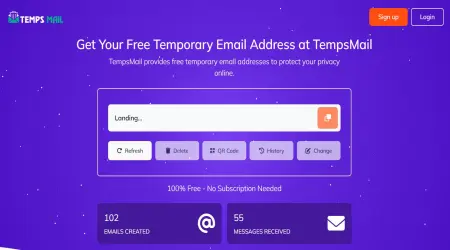
100% Free - No Subscription Needed
804,122
Emails Created
781,000
Messages Received
Sender
Subject
Time
Waiting for incoming emails
Explore the features that make our temporary email service fast, secure, and easy to use
Protect your privacy by keeping spam and unwanted emails out of your personal inbox
Receive emails instantly with real-time inbox updates—no delays, no refresh required.
Choose from multiple email domains to create a unique and secure temporary email address.
Create temporary email addresses in just a few clicks. No registration required, and it’s always free to use!
Create as many temporary emails as you need—no limits, no hidden fees, and no restrictions on usage.
Save important messages to your favorites for quick and easy access whenever you need them.
Ten minutes covers the ordinary sign-up and leaves room for the awkward ones. A confirmation mail that has not appeared in ten minutes is usually not late at all: the form rejected the address before the mail was ever sent. Services that block disposable domains tend to fail quietly, showing a success screen while sending nothing. If the box stays empty for the full ten minutes, check the sign-up page again before blaming the mail.
A disposable inbox buys privacy by giving up recovery. You cannot reset a password to an address that no longer exists, and you cannot produce a receipt for a warranty claim from a mailbox you will never sign back into. That trade is fine for a forum you will read once and never post in. It is a bad trade for anything you might still care about next month.
Banks, government portals and payment providers reject these domains on purpose, and they are right to. Do not spend twenty minutes trying to get around it.
There is no password on a temporary mailbox. Anyone who types the same address sees the same messages. That is a design choice, not an oversight, and it is why the answer to "can I receive my bank statement here" is no. Mail is cleared from the server automatically after a few days. We do not read it and we do not use it to target advertising.
These pages hand out the same inbox with a different number on the clock. Choose by how long the sign-up in front of you takes.
If the domain matters more than the clock, there is a separate education-style address — read that page first, because it will not pass a student check and we are blunt about saying so.
It is a planning figure, not a self-destruct timer. The counter tells you how long a sign-up of this shape usually takes, so you can pick a window and get on with it. It runs in your browser; closing the tab does not start or stop anything on our side.
What happens to the mail is simpler than the countdown suggests. The server clears old messages on its own after a few days. There is no password, no account, and no way to ask for an inbox back once you have walked away from it. Treat every address here as something you use once and forget — that is the whole point of it, and it is also its only guarantee.
Find answers to common questions about our temporary email service and how to use it effectively
Guides and tips on temporary email, privacy and online security.